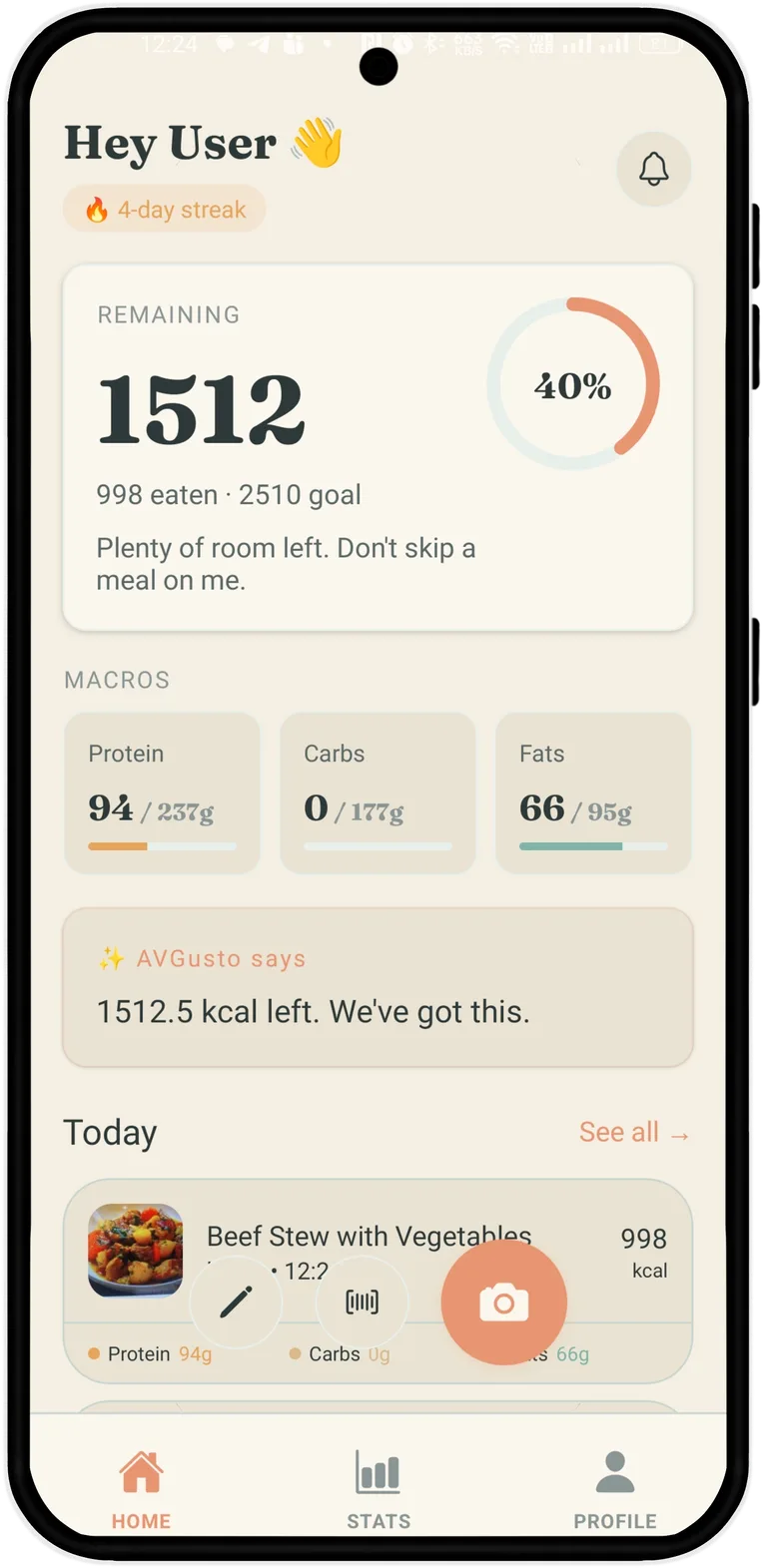
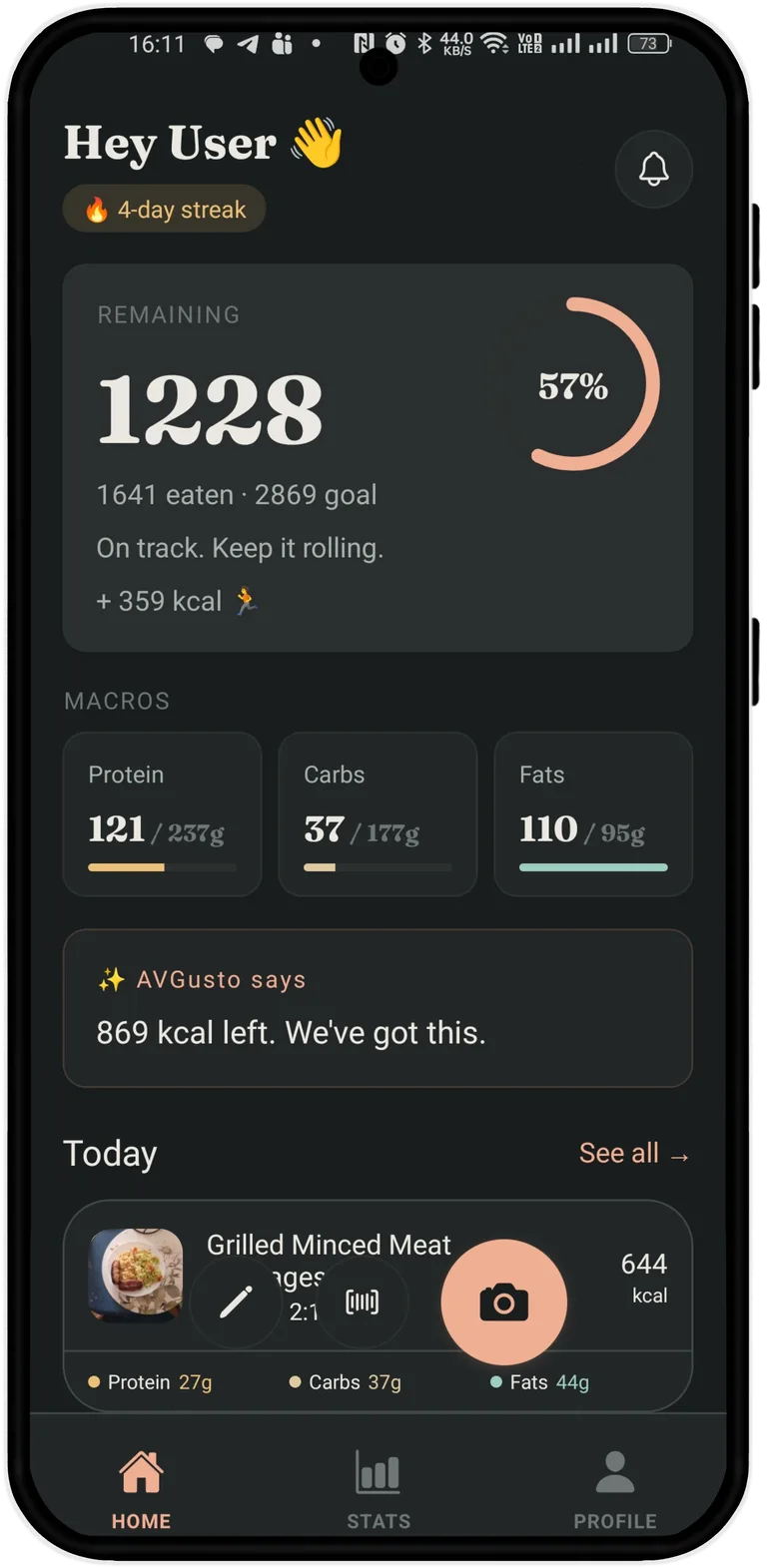
An AI calorie counter that reads calories and macros off one photo — then shows which foods drove each number, fiber included. A dynamic calorie budget from Apple Health, in all 25 languages. Three free scans a day, forever: the Italian chef in your pocket doesn't charge rent.


Open the camera, point at your plate. One tap. AVGusto sees the dish and the portion.
The AI breaks it down — pasta, sauce, parmesan — and tags every ingredient with grams and kcal.
Portion off? Tap to scale. The math updates live. Hit save and the day's budget knows.
Three scans every single day, free forever. No "5-day trial" countdown. The thing the app exists for — it just works.
Most apps pay you twice for the same run — once in the activity level you picked, again when your watch reports it. AVGusto credits only the effort beyond your usual, so a genuinely hard day moves your budget and an ordinary one does not.
Mifflin-St Jeor is a starting line, not gospel. AVGusto watches what you actually log and recalibrates weekly.
From Italiano to Українська to Türkçe. Each tone, each weight unit, each food noun — checked by people who speak it.
Can't photograph it? Scan the barcode. AVGusto reads millions of packaged products from the open OpenFoodFacts database — full calories and macros, no premium gate.
Photos never leave your device — only the parsed nutrition data is synced, encrypted in Firebase, and exportable as JSON anytime.
Most calorie apps treat their math as a trade secret. Ours is more of a recipe — and recipes are for sharing. Here is exactly where every number on your screen comes from, and where it can be wrong.
A GPT-4-class vision model looks at your photo, names the dish, and estimates the portion — that's the AI in the AI calorie counter. Those first numbers are then enriched against USDA FoodData Central, the public nutrition database dietitians actually use. Packaged food skips the guessing entirely: scan the barcode and the data comes straight from the open OpenFoodFacts database. Fiber, sugar, sodium and saturated fat come from those databases when the dish matches one, and from the model's own estimate when it does not — which is most home cooking. The app tells you which of the two you are looking at.
Your daily budget starts with Mifflin-St Jeor, the standard TDEE formula — the same one everyone uses. The difference is what happens next: AVGusto recalibrates it weekly against what you actually log and what your weight actually does. And when Apple Health or Health Connect reports a workout, today's budget moves with it. The formula answers to reality, not the other way around. On the workout side we are deliberately conservative: only the effort beyond the activity level your plan already assumes is added, so an ordinary training day is never paid for twice.
On a typical home meal, the scan lands within ~15% of a careful manual log. On layered, mixed, or sauce-heavy dishes it does worse — lasagna keeps its secrets. A photo cannot weigh your food, and we won't pretend it can. That's exactly why the Adjust step exists: tap, scale the portion, and the math corrects itself.
We're not picking a fight. Just laying out who does what, and where AVGusto draws the line.
| AVGusto | MyFitnessPal | Cal AI | Noom | |
|---|---|---|---|---|
| AI photo scan in free tier | ||||
| Apple Health dynamic budget | ||||
| TDEE auto-calibration | ||||
| 25 languages | ||||
| Transparent pricing, no trial trap |
The data in this table is based on an AI analysis of publicly available information and may be outdated or inaccurate.
No weekly trial traps. No "limited offer" pop-ups. Cancel in your App Store at any time.
Can't find what you're looking for? Email ciao@avgusto.app. It's one person who actually reads them.
Honest answer: it's good, not magic. For typical home meals — pasta, bowls, plated proteins — AVGusto lands within ~15% of a manual log. For unusual or layered dishes you'll occasionally need to scale a portion. The Adjust step exists precisely for that.
Photos stay on your device, only the parsed nutrition data is synced to Firebase. Export everything (meals, weight, activity) as gzipped JSON anytime — week, month, quarter, year, or all available data.
Yes, via Apple Health on iOS and Health Connect on Android. Both feed workout calories and weight history back into your dynamic budget. Garmin and Whoop work via Apple Health / Health Connect.
AVGusto ships in 25 languages — Italiano, Español, Français, Deutsch, Português, Türkçe, Polski, Українська, Ελληνικά, Nederlands, Svenska, and a dozen more. Food names, units, dates, even the chef’s tone — all properly localized.
Free is the free tier — three AI scans every day, forever, no countdown. If you want unlimited scans, just subscribe directly. We don’t believe in the "7-day trial that quietly bills $99" pattern.